


Create MLBB Squad
1/2
Create MLBB Squad
5.0
16 reviews
USD 2.16
Price is not final
Minimum Purchase:
1
Sold
25 (100%)
Average Delivery Time:
3 hours
Product Description
Please fill in this first
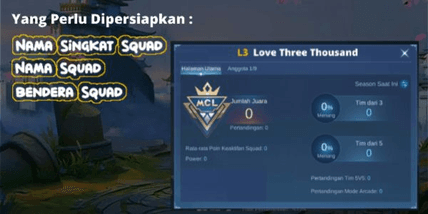
Squad Name:
Squad short name:
Squad Flag:
ORDERS AFTER 21,000 WIB WILL BE PROCESSED TOMORROW
You need to know that to be able to create a squad you must have a Mobile Legends game account that has reached level 20. If you have fulfilled all these requirements, let's just look at how to create one below:
Submit ID Number (SERVER) and NICKNAME of your Mobile Legends account. Furthermore,
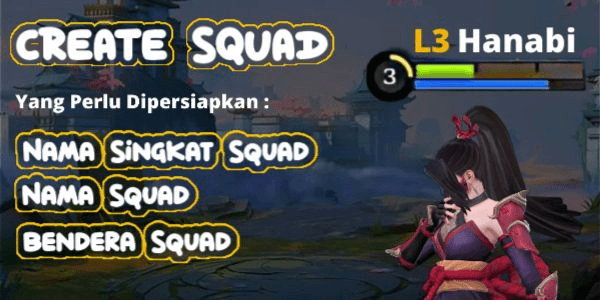
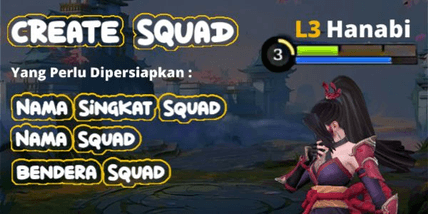
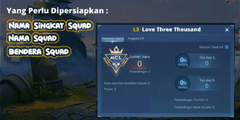
Determine your squad's abbreviated name and squad name first, for example as in the picture above. Buyers can request a flag from the squad, if they provide information when purchasing the product or in the admin chat before the admin creates the squad. However, if the buyer forgets to provide information about the Squad Flag, the admin will automatically fill in the flag as Indonesia.
Pay attention to upper and lower case letters and punctuation too!
Make sure to write the Squad Short Name, Squad Name and Squad Flag. Correct before sending to admin. (WHEN IT HAS BEEN PROCESSED BY THE ADMIN, IF THERE IS A WRITING MISTAKE, IT IS THE BUYER'S RESPONSIBILITY BECAUSE THE ADMIN JUST COPIES AND PASTES FROM THE BUYER AND JUST MAKES A SQUAD SO PLEASE BE MORE CAREFUL)
After the Squad creation process is complete the admin will immediately appoint the buyer to be the Squad Leader (Chair) and the admin will leave the Squad
Squad Name:
Squad short name:
Squad Flag:
ORDERS AFTER 21,000 WIB WILL BE PROCESSED TOMORROW
You need to know that to be able to create a squad you must have a Mobile Legends game account that has reached level 20. If you have fulfilled all these requirements, let's just look at how to create one below:
Submit ID Number (SERVER) and NICKNAME of your Mobile Legends account. Furthermore,
Determine your squad's abbreviated name and squad name first, for example as in the picture above. Buyers can request a flag from the squad, if they provide information when purchasing the product or in the admin chat before the admin creates the squad. However, if the buyer forgets to provide information about the Squad Flag, the admin will automatically fill in the flag as Indonesia.
Pay attention to upper and lower case letters and punctuation too!
Make sure to write the Squad Short Name, Squad Name and Squad Flag. Correct before sending to admin. (WHEN IT HAS BEEN PROCESSED BY THE ADMIN, IF THERE IS A WRITING MISTAKE, IT IS THE BUYER'S RESPONSIBILITY BECAUSE THE ADMIN JUST COPIES AND PASTES FROM THE BUYER AND JUST MAKES A SQUAD SO PLEASE BE MORE CAREFUL)
After the Squad creation process is complete the admin will immediately appoint the buyer to be the Squad Leader (Chair) and the admin will leave the Squad
Product Review
5/5
16 Review
5
16
4
0
3
0
2
0
1
0
Product Review
View All5/5
16 Rating
5
16
4
0
3
0
2
0
1
0

No reviews yet for this product rating
Offer Details


TVS Store
Last online 19 hours ago
This Seller isn’t Taking Orders Right Now
You can try another seller.
100% Secure Payments Guaranteed by Trade Guard
This Seller isn’t Taking Orders Right Now
Check Other Sellers
04.9 / 5.0(246)
Offer Details
TVS Store
Last online 19 hours ago
This Seller isn’t Taking Orders Right Now
You can try another seller.
100% Secure Payments Guaranteed by Trade Guard
This Seller isn’t Taking Orders Right Now
Check Other Sellers
Still looking for the right offer?
See All Offers